Building a Character Reference Sheet That Holds Up
 Creative Studio Editorial
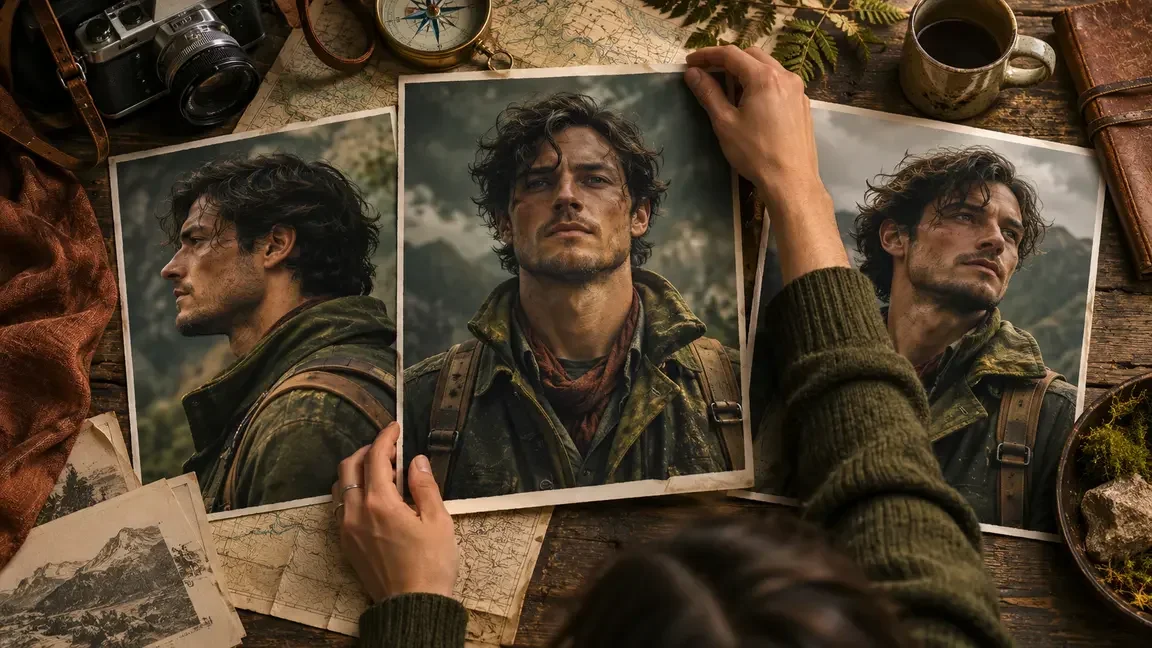
A fictional explorer wears a moss jacket, carries a charcoal satchel, and has a pale streak over one eyebrow. In the opening portrait, all three details read clearly. In a scene on a ridge, the jacket changes cut and the streak moves to the opposite eyebrow. A character reference sheet gives the next person on the project a way to spot that drift before those shots reach the edit.
Start with the features a viewer will recognize
Pick three to five features visible in the framing you plan to use. For the explorer, that might be the shape of the jacket collar, the position of the eyebrow streak, the cropped curls, and the satchel strap running from the left shoulder to the right hip. A precise description such as “charcoal strap over the character’s left shoulder” also helps the team compare views from opposite sides.
Choose a neutral portrait as the anchor. Use even light, a simple background, and an expression that leaves the shape of the face easy to read. Keep a separate note for styling ideas you may still change. A warm rim light might suit the ridge scene, while the anchor needs to work for a scene under gray skies too.
Add the views your sequence asks for
For a short sequence that cuts from a conversation to a walk across a ridge, a front portrait, a three-quarter portrait, and a full-body view give the team three useful checks. The portraits make small face and hair changes apparent. The full-body view shows how the jacket and satchel sit together and where the hem falls.
Add a profile if the cut includes a side view. If the character spends a scene turning away, make a rear reference that shows the strap and jacket seams. Review the views side by side under similar lighting. A small difference in one image becomes easier to spot when the same feature is visible in the others at comparable scale.
Test one difficult scene
Try the framing that hides or stretches the cues you picked. Imagine a low-angle shot of the explorer tightening the satchel strap in a gust of wind. Most of the face is tucked behind the collar, so the jacket shape and the strap placement do the work. Look at the result next to the full-body and three-quarter references, then check the neighboring cut at normal playback speed.
If the mismatch comes from an unclear reference, add one close view of the clasp or strap and label it with the view it supports. If it comes from a changed costume or haircut, save a new sheet for that part of the sequence. The edit should have enough information to tell an intentional change from a continuity error.
Keep the sheet easy to find
Save one named reference sheet and keep its source images in the same project folder. Include a short note identifying the character version, the approved views, and any deliberate scene changes. When someone starts a new shot, they can open a single reference and know what to check before asking for a review.