Runway Gen-4.5 and the Slow Product Push-In
 Creative Studio Editorial
A slow push-in gives a product shot somewhere to go. It can begin with enough space to establish the set, then let the object occupy more of the frame by the time the viewer reads a title. The challenge is that the object needs to stay recognizable throughout. A useful take ends with a composition you would have chosen as a still.
Runway Gen-4.5 supports text-to-video and image-to-video. A text prompt can describe the scene and movement together. With an image input, the still carries the visual direction, and the motion prompt can concentrate on what should change. Use a text concept for an unbranded object. Use an approved still if the real product’s color and shape are part of the brief.
Mark the start and the finish
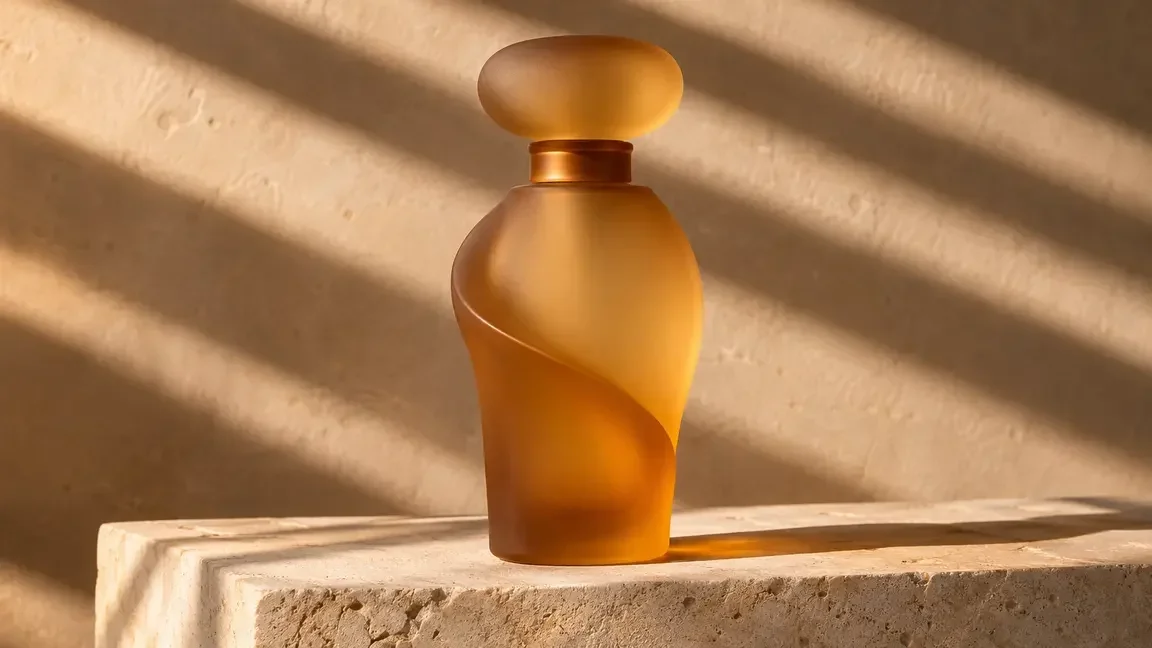
Imagine a frosted amber fragrance bottle on a limestone plinth. Striped shadows from a window sit behind it. In the opening, there is room for the plinth and some texture in the background. In the closing frame, the shoulder and cap should be easy to read, and the bottle should still have breathing room around it.
A push-in brings the composition closer along the lens axis. An orbit would show more of the side and reveal information about depth. Choose the push-in when you care most about the front silhouette. A slow, brief move gives you usable frames at the end and makes any unwanted change in the bottle more apparent.
Prompt for a usable closing frame
An unbranded sculptural frosted amber glass fragrance bottle with a simple black cylindrical cap sits on a pale limestone plinth. Late-afternoon window light casts crisp striped shadows on the wall, with a small bright reflection along the glass shoulder. A slow, smooth forward camera dolly moves from a medium tabletop shot to a slightly tighter centered hero framing. The bottle and cap remain fixed and the striped background stays stable. Hold the final framing briefly. Editorial product photography, one continuous shot, no text, no logos.
For a still-driven version, use an image with the bottle’s cap already visible and leave space on all sides. Describe the same forward move, the fixed object, and the final hold. The still already establishes the material and the set. Keep a record of which still was used so the editor can compare it with frames from the take.
Check the frame you would actually ship
Scrub to the last two seconds and look for the first frame that can carry the product name. Ask whether the shadows still have the same direction, the cap is round and centered, and the stone surface meets the glass with a plausible shadow. Compare the closing silhouette to the opening one. Growth from perspective is expected. A cap that narrows relative to the bottle or glass that changes thickness is a continuity problem.
If the close feels crowded, ease back the endpoint or keep the original framing and shorten the move. Finish with type added during editing, when the size, alignment, and reading time can be set for each placement.